


Enter the technical description
Type the courses into cells, like a spreadsheet, or paste a title's wording as it's written. Keep the title's photo or PDF open beside the form while you check.
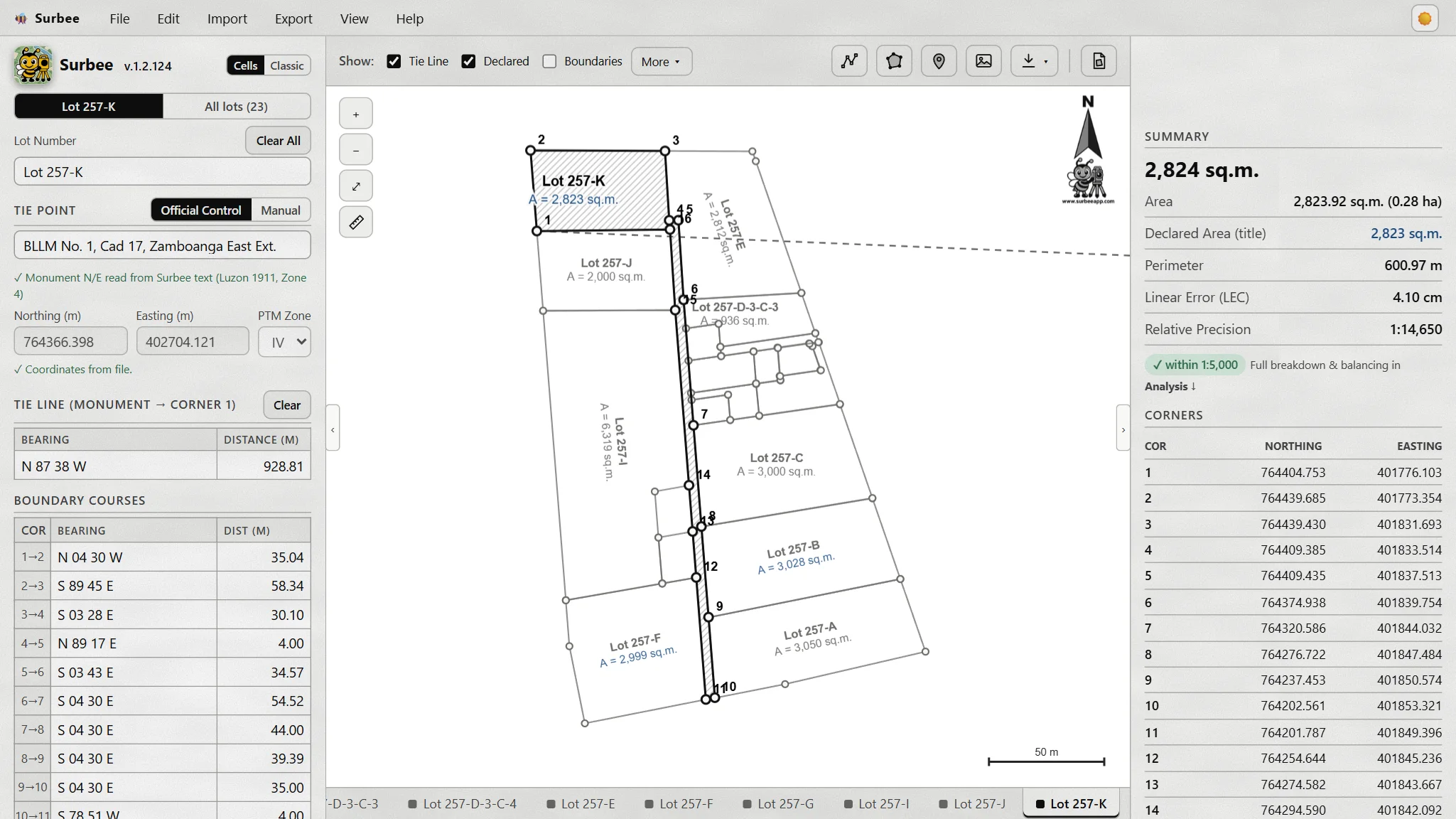
Surbee for Windows plots a land title's technical description, ties it to the official control point, checks closure and area, prints the lot plan, and exports it for CAD and GIS. On your PC, even with no signal.
Surbee does the part you'd otherwise do by hand, course by course, before the real work starts.
Type the courses into cells, like a spreadsheet, or paste a title's wording as it's written. Keep the title's photo or PDF open beside the form while you check.
Search the monument by name, like "BLLM No. 1, Cad 17". Surbee fills its Northing, Easting and PTM zone. Region 9 (Zamboanga Peninsula) and NIR download once, then work offline. More regions to come.
Linear error of closure and relative precision against the DENR standard (DAO 2007-29). Compass or Transit rule; your raw courses are kept. Area in sq.m. and hectares.
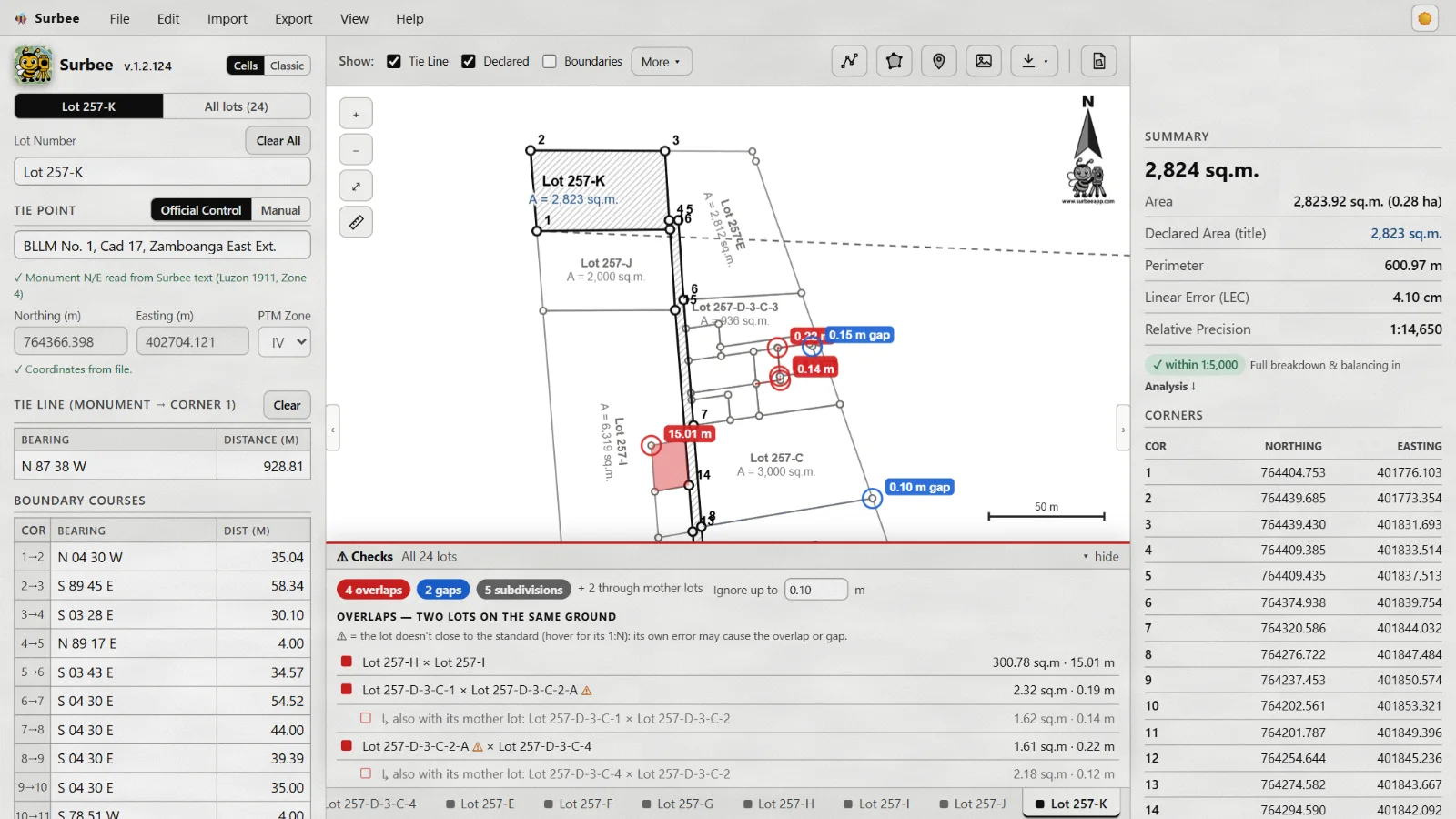
Every lot in its true grid position, one tab each. Mother lots and their sub-lots, a measuring tool, and an Overlaps & Gaps check between neighbours.
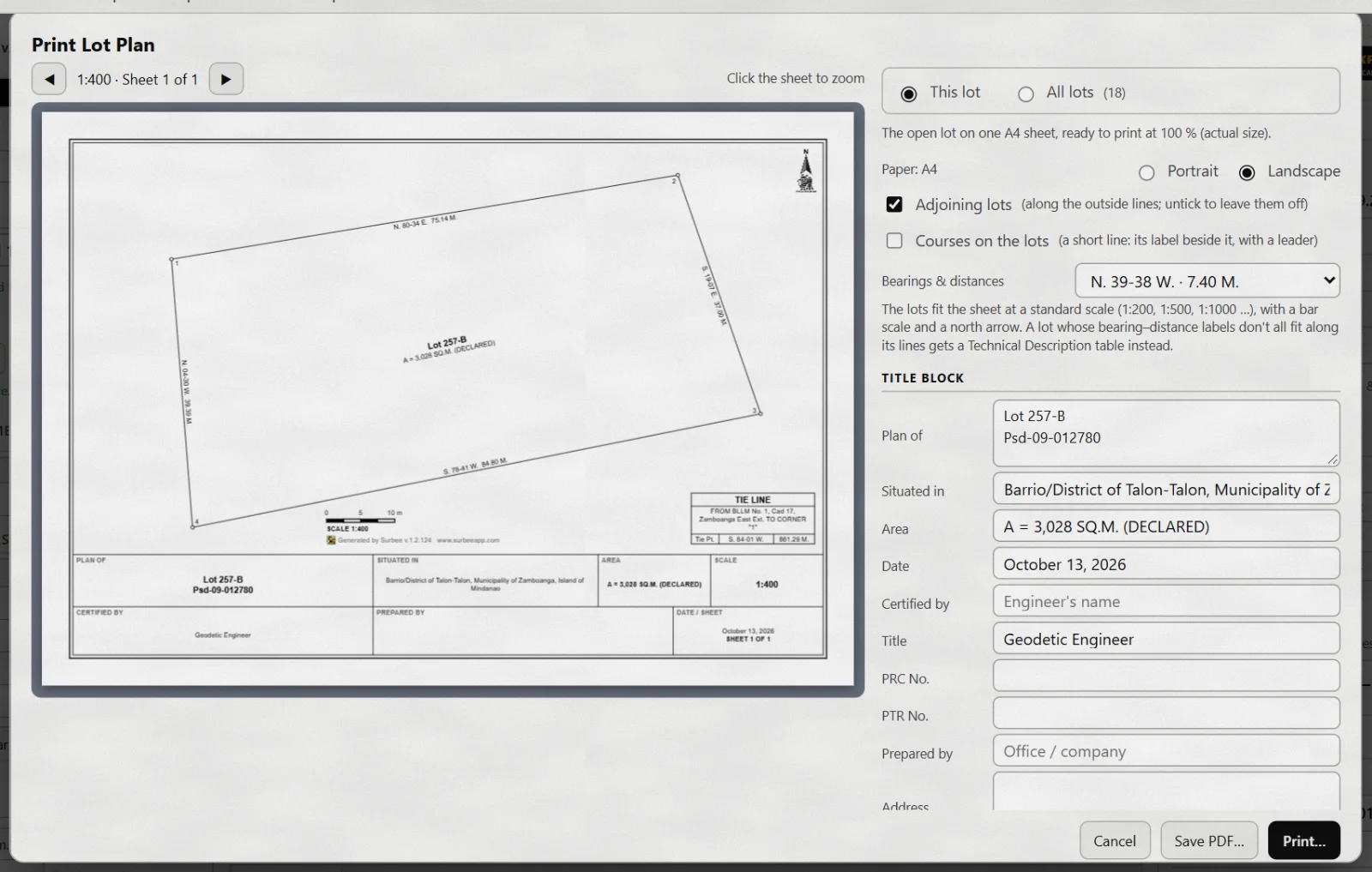
An A4 plan at a standard scale, with the title block, the technical description and tie line tables, and the adjoining lots. Print it or save a PDF.
DXF for AutoCAD, BricsCAD and other CAD, with layers and text sized to the scale. Shapefile for QGIS, KML for Google Earth, and PNEZD point lists. For one lot or all of them.
These are from Surbee itself, with a real subdivision plotted from its titles.
Sample titles come with Surbee: single lots and whole subdivisions, some with mistakes on purpose. Try every step before your own work.
Help ▸ User Guide explains every screen in plain words. Search it, or print it.
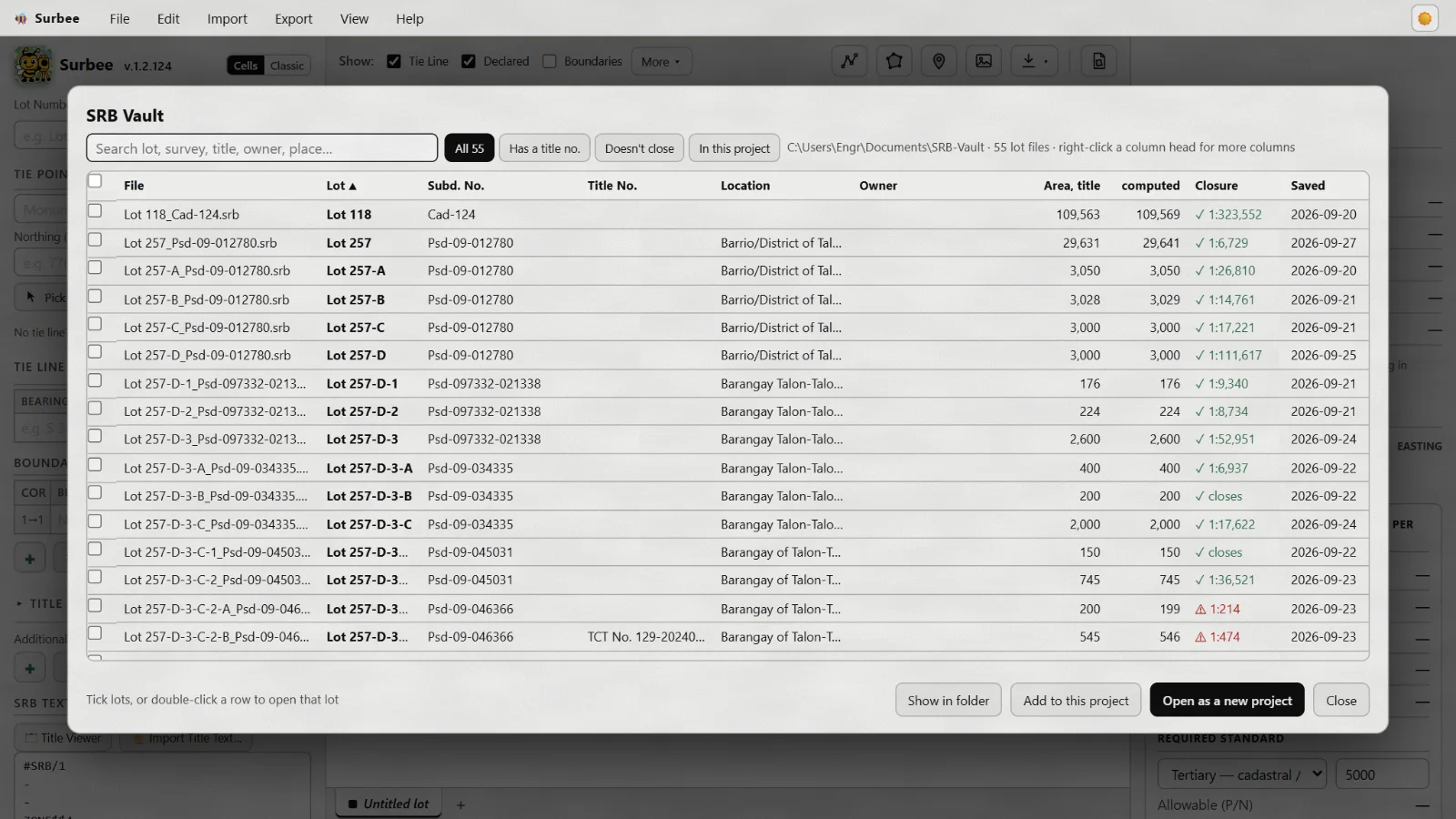
Every save keeps a copy of the lot: its first version and its last 50 saves.
A Surbee license is yours to keep. No monthly fee, no daily login, nothing that stops you in the field.
One license for each computer. Install it anywhere; the three licensed computers run it.
One license per computer, with a promo price for registered GEs. Pay by GCash or bank transfer.